
Quick Answer: EPG failures can come from the EPG source, channel-to-guide mapping, timezone settings, stale cached data, or the playlist itself. Start by checking whether the guide is completely empty, only some channels are missing, or the times are shifted.
TiviMate EPG Not Working? Before You Start: Quick Checklist#
If your TiviMate EPG is not working, start here. If your TiviMate EPG is not working, start here. TiviMate EPG not working? Start here. Before trying the fixes below, confirm three things: your IPTV subscription is active, your device has a working internet connection, and you are running the latest TiviMate version (the latest available version). These checks save time by ruling out obvious causes first.
1. Force-Refresh Your EPG Manually#
Open TiviMate and go to Settings > EPG. Tap Update EPG to force a manual refresh. Wait 30-60 seconds for the data to download. If the EPG populates, the issue was a stale cache or delayed update cycle.
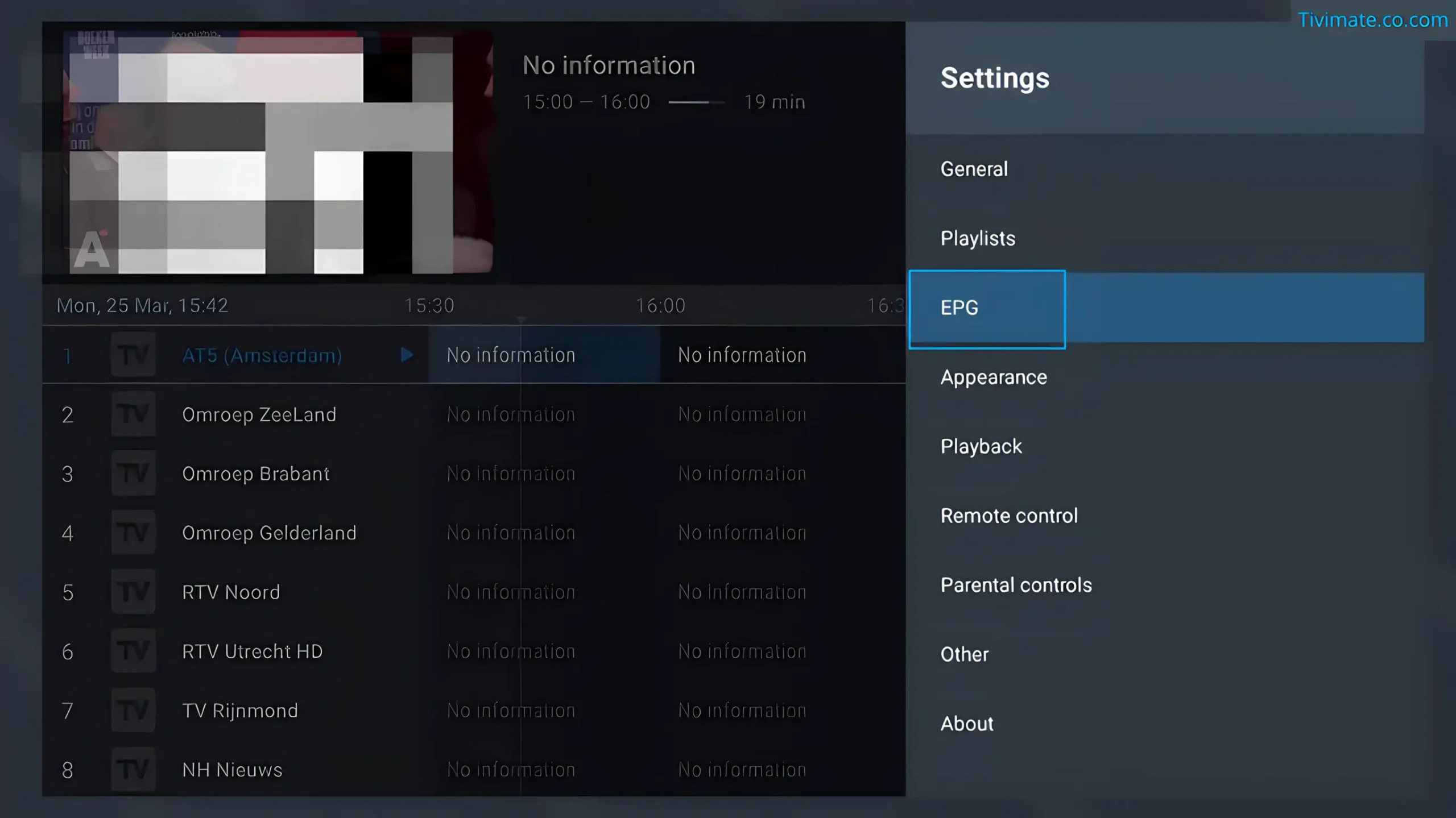
TiviMate EPG Not Working After Refresh? Check This#
If the URL downloads an XML file but EPG still shows nothing, the channel IDs (tvg-id attributes) in your playlist may not match the channel IDs in the EPG file. Open the downloaded XML file and search for a channel you know. Compare its ID to the tvg-id in your M3U playlist. TiviMate Premium can remap mismatched channels under Settings → EPG → Channel Mapping.
2. Verify Your EPG Source URL#
A wrong or expired EPG URL is the most common reason TiviMate EPG is not working. Go to Settings > EPG > EPG Sources and copy the URL. Paste it into a browser — if it downloads an .xml or .xml.gz file, the URL is valid. If the URL cannot be retrieved, confirm the address with the source or playlist provider before replacing other settings.
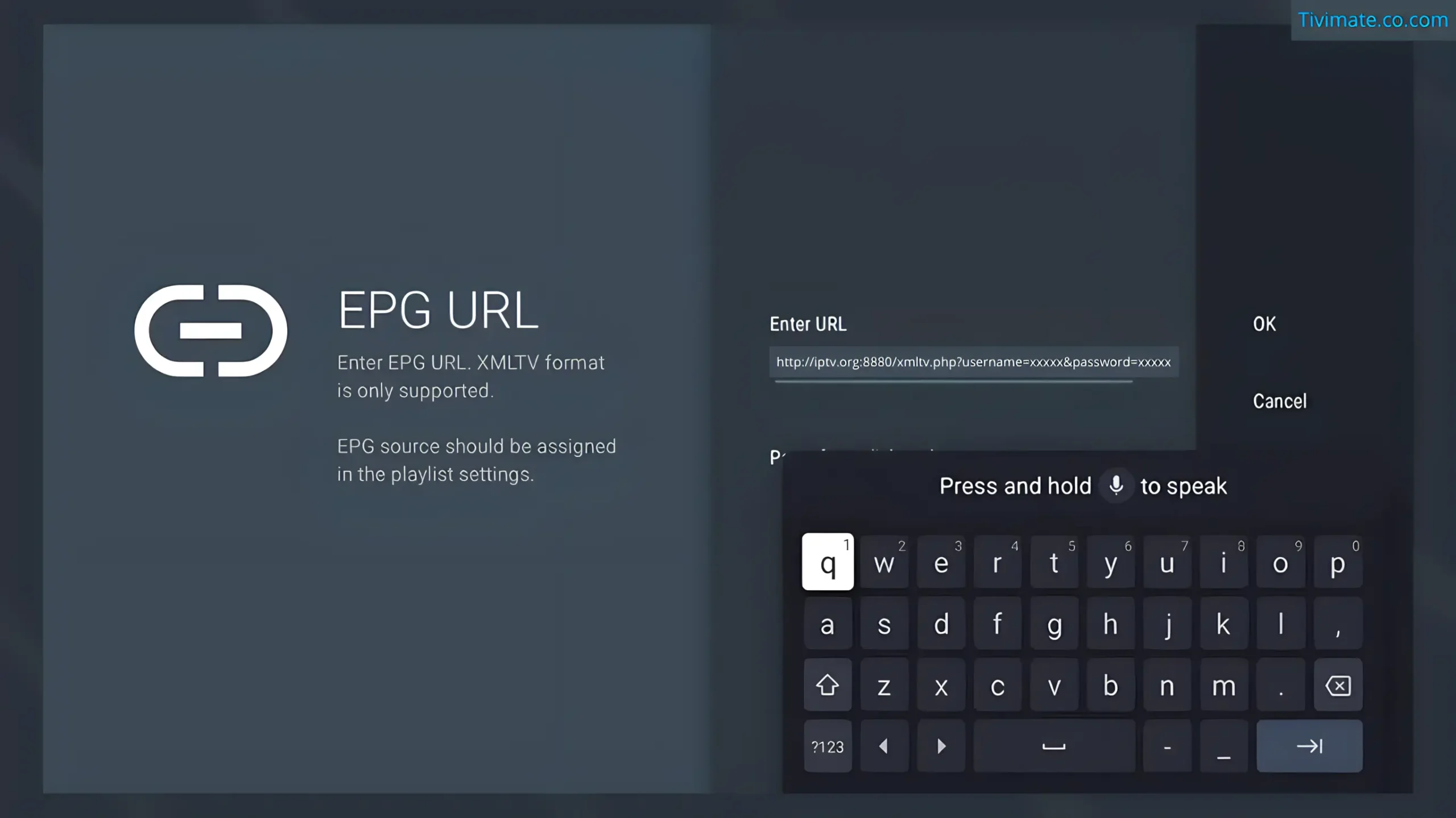
3. Clear EPG Cache and App Cache#
Go to Settings > EPG > Clear EPG Cache. Then go to Firestick Settings > Applications > TiviMate > Clear Cache. Do NOT clear Data — that will erase all your playlists and settings.

How Long Cache Clearing Takes#
After clearing cached guide data, allow the refresh to complete and judge it against the size of your playlist and connection. Avoid using a fixed download time as a diagnostic threshold.
4. Set the Correct Time Zone#
Incorrect time zone causes EPG data to display at wrong times. In TiviMate, go to Settings > EPG > Time Shift. Adjust by the number of hours your programs are off. If your guide shows 8 PM content at 3 PM, set Time Shift to +5 hours.
5. Switch to Xtream Codes API#
If TiviMate EPG not working persists, switch from M3U+EPG URL to Xtream Codes. This auto-populates EPG data and eliminates URL mismatch issues. Delete your current playlist and re-add using Xtream Codes with the credentials from your provider.
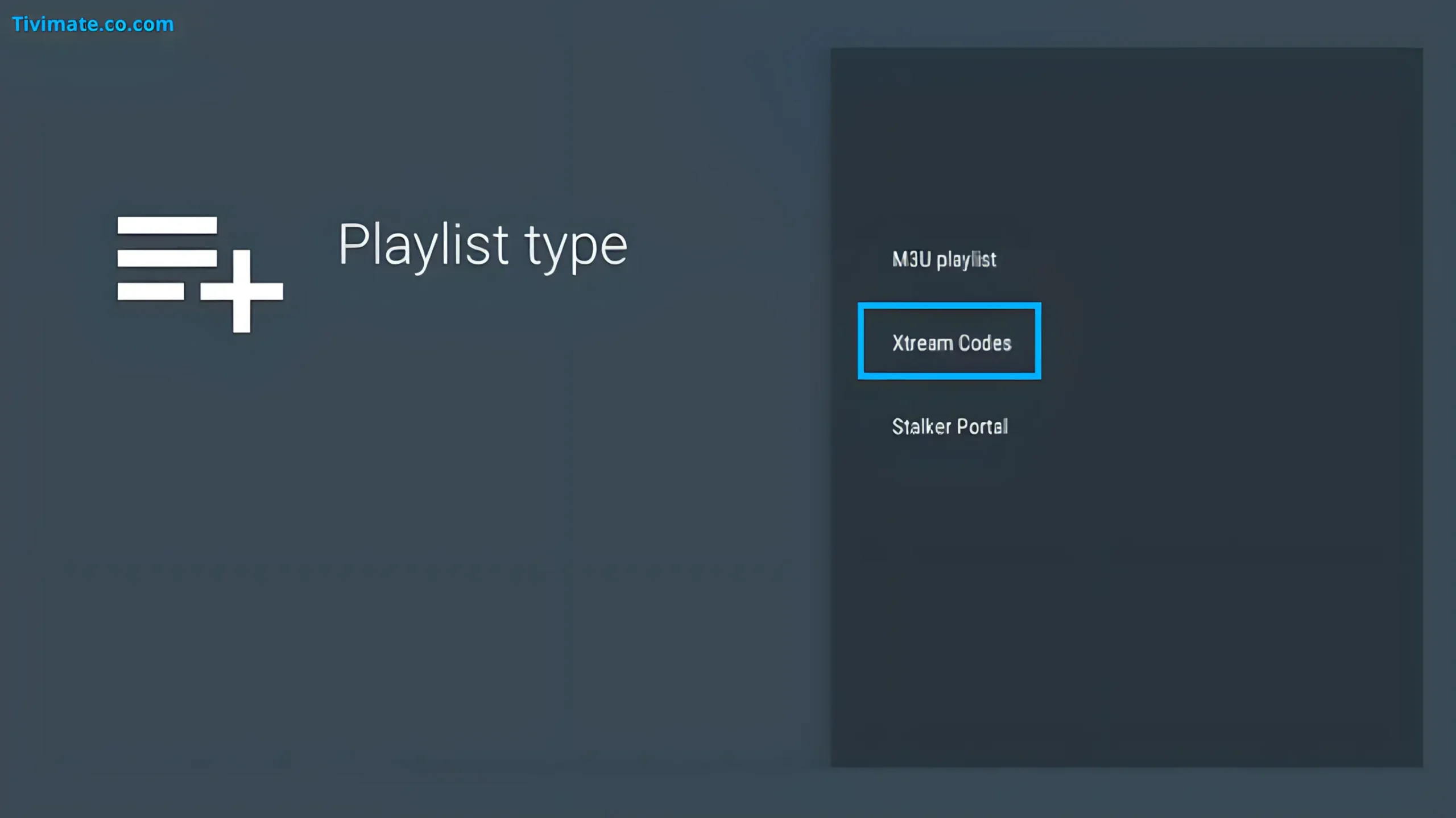
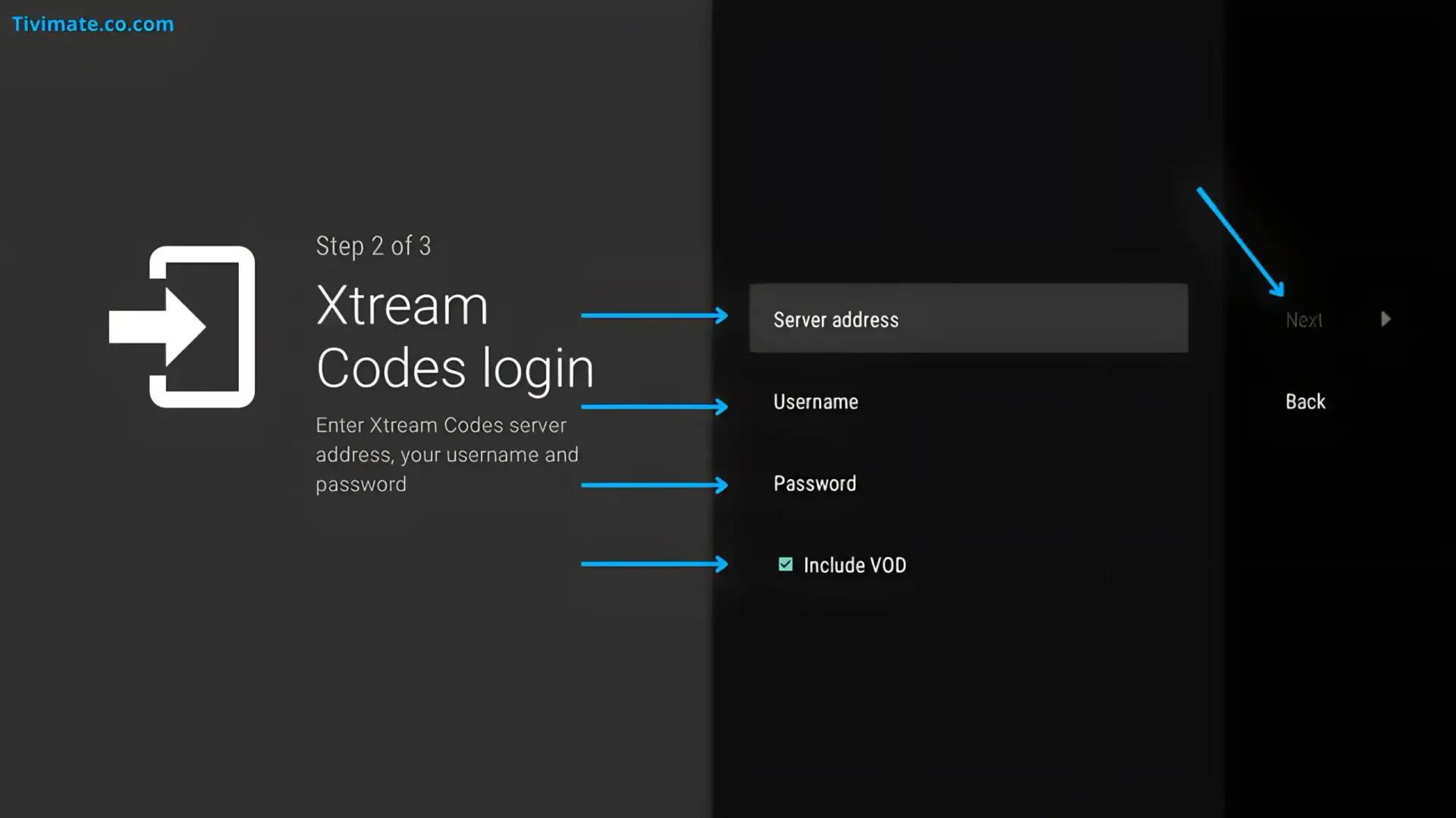
Xtream Codes vs M3U+EPG#
Xtream Codes combines channels, EPG, and catch-up into a single API connection. This eliminates URL mismatch issues because the EPG data comes from the same server as your channels. If your provider supports both methods, Xtream Codes can simplify configuration because playlist and guide information may come from the same service. It is not automatically more reliable for every provider. The downside is that some providers limit Xtream Codes to Premium accounts.
6. Bypass ISP Blocking with a VPN#
An EPG source can fail because of routing, source availability, authentication, or network filtering. Install a VPN on your Firestick (a VPN can be used as a controlled comparison), connect to a server in your country, and try refreshing the EPG again. If it works with the VPN on, your ISP is blocking the EPG source.
7. Use a Different EPG Source#
If your providers EPG is unreliable, use an alternative EPG source. Free EPG providers like epgshare01 or IPTV-EPG offer XMLTV data for many channels. Configure it in Settings > EPG > Add Source.
Recommended Free EPG Sources#
Community-maintained EPG sources cover thousands of channels. Popular options include epgshare01 (strong UK, US, CA coverage), iptv-epg.com (worldwide), and epg.best (European focus). Add the XMLTV URL in Settings → EPG → Add Source. Coverage varies by region → you may need to try multiple sources to find one with your channels.
Paid EPG Services#
If free sources lack your channels, consider a paid EPG service. Services like EPG Guru or EPG Ninja offer curated channel mapping, faster update cycles, and support for niche international channels for $2-5 per month. Paid services are useful if you watch channels from multiple countries or obscure local networks that free sources miss.
Is This Guide Trustworthy?#
This guide describes a diagnostic process. Results can vary by device, playlist, EPG source and service configuration.
Diagnose the EPG Problem First#
| Symptom | First check | What it points to |
|---|---|---|
| No guide data anywhere | Check the configured EPG source and refresh it | Source URL, source availability, playlist configuration or network. |
| Only some channels have guide data | Compare affected channel IDs/names with the EPG source | Channel mapping or identifier mismatch. |
| Guide data exists but times are wrong | Check timezone and Time Shift settings | Timezone/configuration rather than missing source data. |
| EPG worked before and suddenly stopped | Test the source and refresh the playlist/guide | Source availability, changed URL, authentication or stale data. |
Because TiviMate does not provide the channels or third-party content itself, an EPG failure can originate outside the player. TiviMate official terms
Frequently Asked Questions#
Why is my TiviMate EPG not showing any channels?#
TiviMate EPG not working? Either no EPG URL is configured, the URL is wrong or expired, or the channel IDs in your playlist do not match the EPG source. Start with Fix 2 (verify URL) and Fix 3 (clear cache).
Why does my EPG show the wrong time?#
Timezone offset problem. Go to Settings > EPG > Time Shift and adjust by the number of hours programs are off.
Why do some channels have EPG and others do not?#
tvg-id mismatch. TiviMate Premium has channel mapping under Settings > EPG > Channel Mapping. Switching to Xtream Codes API (Fix 5) often resolves this automatically.
How do I know if my EPG URL is valid?#
Copy the URL from TiviMate and paste into a browser. If it downloads an .xml or .xml.gz file it is valid. If you get 404 the URL is dead.
How often should TiviMate update EPG?#
Update behavior depends on the source and your TiviMate configuration. Choose an interval that fits the source's refresh behavior and your need for current guide data.
Will clearing app data fix my EPG?#
Clearing Cache is safe. Clearing Data erases all playlists and settings — only do this as a last resort.
Can I use multiple EPG sources in TiviMate?#
Yes, with TiviMate Premium (the current annual Premium price shown in TiviMate's Companion app). Add multiple XMLTV sources and TiviMate merges them.
EPG works on phone but not Firestick?#
Most likely device storage is full or ISP is blocking on Wi-Fi. Check storage and try Fix 6 (VPN).
Does EPG use my data allowance?#
Yes. EPG bandwidth depends on the source file size and refresh frequency, so there is no single fixed monthly figure. On metered connections, set the update interval to 12 hours in Settings → EPG → Update Interval.
Can I use EPG without a playlist?#
No. EPG data is tied to channel IDs in your M3U or Xtream Codes playlist. The EPG source must use the same tvg-id or channel name as your playlist. If you switch providers, you need a new EPG source that matches the new channel IDs.