TiviMate

How to Buy TiviMate Premium (2026): Complete Step-by-Step Purchase Guide

Published May 23, 2026 by TiviMate Team | 11 min read | Updated May 27, 2026
How to Buy TiviMate Premium (2026): Complete Step-by-Step Purchase Guide

Quick Answer

Step-by-step guide on how to buy TiviMate Premium in 2026. Compare pricing plans, payment methods, and activate premium on Firestick and Android TV.

Quick Answer: To buy TiviMate Premium, download the TiviMate Companion app from Google Play, create an account, and purchase a subscription for $29.99/year (1 device) or $39.99/year (5 devices). You can also buy directly from the TiviMate website using a credit card or Google Pay.

If you have been searching “how do I have to buy TiviMate Premium,” you are not alone. With TiviMate being the leading IPTV player for Android TV and Firestick, many users want to unlock its full potential but are unsure about the purchasing process. This guide covers every method to buy TiviMate Premium, the pricing options, and tips to get the best value for your money.

Buying TiviMate Premium Through the Companion App

The easiest way to buy TiviMate Premium is through the official TiviMate Companion app available on the Google Play Store. This method is recommended because it handles account creation, payment, and device activation seamlessly. The Companion app is a separate application from the main TiviMate player. It serves as your account management tool where you can purchase your license, manage linked devices, and handle subscription renewals. You only need it during initial setup and when managing your account. After activation, you can uninstall the Companion app and your premium features will continue working on your device.

Step 1: Install the TiviMate Companion App

Open the Google Play Store on your Android phone or tablet and search for “TiviMate Companion.” Look for the app developed by ArmoSoft – the same developer behind TiviMate. Download and install the app. If you cannot find it on Google Play, you can visit the official TiviMate website on your phone and follow the link to the Play Store listing. You can also scan the QR code from the official TiviMate website to go directly to the Play Store listing.

Step 2: Create or Sign In to Your Account

Launch the Companion app and tap “Create Account.” Enter your email address and create a strong password. You will receive a verification email – click the link to confirm your account. If you already have an account from a previous purchase, simply sign in with your existing credentials. Note that your TiviMate account is separate from your Google account. You do not need a Google account to use TiviMate Premium, but you do need one to download apps from the Play Store. Keep your login credentials safe as you will need them if you ever switch devices or need to reinstall.

Step 3: Choose Your Premium Plan

Once logged in, tap the “Get Premium” or “Upgrade” button inside the Companion app. You will see the available pricing options:

  • 1 Device License: $29.99 per year – best if you use TiviMate on a single device like one Firestick or one Android TV
  • 5 Device License: $39.99 per year – best value if you use multiple devices across different TVs in your home

The 5-device plan is the better value at only $8 per device per year compared to $30 for a single device. If you think you might add another TV or streaming device in the future, the 5-device plan is the smarter choice.

Step 4: Complete Payment

Select your plan and proceed to payment. The Companion app supports Google Pay and credit/debit cards including Visa, Mastercard, American Express, and Discover. Enter your payment details and confirm the purchase. Your TiviMate Premium subscription activates immediately after successful payment. You will receive a confirmation email with your receipt and license details. Save this email for your records.

Step 5: Activate Premium on Your Device

Open TiviMate on your Android TV or Firestick. Go to Settings > About > Companion App. A QR code will appear on your TV screen. Open the Companion app on your phone, tap the “+” icon, and scan the QR code. Your device will be linked to your account and premium features will unlock instantly. If you have the 5-device plan, repeat this process on each device you want to activate.

Buying TiviMate Premium from the Website

If you prefer using a desktop computer or do not have access to the Companion app, you can buy TiviMate Premium directly from the official website. This method is useful if you are using an iPhone (the Companion app is only available on Android) or if you simply prefer managing purchases through a web browser.

Visit the TiviMate Purchase Page

Go to the official TiviMate website on your desktop browser and navigate to the Premium section. The website is clean and easy to navigate. Click the “Buy Now” button for your chosen plan. The website uses secure HTTPS encryption to protect your payment information.

Select Your License Type

Choose between the 1-device or 5-device annual plan. The website also sometimes offers promotional pricing for first-time buyers. Keep an eye out for seasonal discounts around Black Friday, Christmas, and New Year when prices may be lower. The license type you choose can be upgraded later, but you cannot downgrade from 5 devices to 1 device.

Enter Your Email and Payment Info

Provide the email address you want associated with your TiviMate account. This email will receive your license key and account confirmation. Complete the payment using Google Pay or a credit card. After successful payment, you will receive a confirmation email with your license details. Use these details when activating the Companion app on your device.

TiviMate Premium Features You Unlock

When you buy TiviMate Premium, you unlock a comprehensive set of features that transform the free version into a powerful IPTV streaming experience. Premium features include unlimited playlist support, advanced EPG (Electronic Program Guide) with catch-up functionality, scheduled recording of live TV, multi-screen viewing with up to 4 channels simultaneously, and the ability to create and manage favorite channel lists. You also get priority updates and access to beta features before they are released to free users. For a complete breakdown of every premium feature, see our detailed TiviMate Premium features guide.

TiviMate Premium Pricing Breakdown (2026)

PlanPrice per YearDevicesBest For
Free$01Testing the app
Premium (1 Device)$29.991Single TV setup
Premium (5 Devices)$39.995Multiple TVs or family

There is no lifetime plan available. All subscriptions are annual and renew automatically unless cancelled. This subscription model ensures you always have access to the latest features and updates.

Payment Methods Accepted

  • Google Pay – fastest method through the Companion app, processes instantly
  • Credit and Debit Cards – Visa, Mastercard, American Express, Discover
  • Google Play Balance – if you have credit in your Google Play account, you can use it toward the purchase

How to Buy TiviMate Premium for Multiple Devices

If you want to use TiviMate Premium on more than one device, choose the 5-device plan when purchasing. This is ideal for households with multiple TVs, or if you have both a Firestick and an Android TV box. To activate premium on additional devices:

  1. Open TiviMate on each new device
  2. Go to Settings > About > Companion App
  3. Scan the QR code with your Companion app
  4. Each device will be linked to your account

You can manage your linked devices from the Companion app at any time. If you reach the 5-device limit, you can remove an old device to free up a slot for a new one. This is useful if you replace a streaming device or give one away.

Common Problems When Buying TiviMate Premium

Payment Not Going Through

If your payment fails, try using a different payment method. Google Pay tends to be the most reliable option. Ensure your card supports international transactions since TiviMate processes payments internationally. If you are using a debit card, check that you have sufficient funds and that your bank does not block the transaction. Some banks flag international payments as suspicious, so you may need to approve the transaction through your banking app.

Companion App Not Showing Purchase Option

Make sure you have the latest version of the Companion app installed. Go to the Google Play Store and check for updates. If the issue persists, clear the app cache or uninstall and reinstall the Companion app. Also verify that you are logged into your account – the purchase option only appears after you have created and verified your account.

Premium Not Activating After Purchase

If you paid but premium features are not working, try force-closing TiviMate and reopening it. Ensure your device is properly linked via QR code. If the QR code scan fails, you can try entering the activation code manually. If nothing works, restart both your streaming device and your phone, then try again. Most activation issues resolve with a simple restart.

Is TiviMate Premium Worth Buying?

For most IPTV users, TiviMate Premium is absolutely worth the price. At $29.99 to $39.99 per year, it costs less than $3.50 per month – cheaper than a single coffee per month for a vastly improved streaming experience. The free version of TiviMate is limited to one playlist and basic features, while Premium unlocks the full potential of the app including unlimited playlists, recording, multi-view, and advanced EPG features. If you use TiviMate regularly, the premium features significantly enhance your IPTV experience. The recording feature alone makes Premium worthwhile for many users, as it allows you to record live TV shows and watch them later. Multi-view is another standout feature that lets you watch up to four channels at once, which is perfect for sports fans who want to follow multiple games simultaneously.

Tips for Getting the Best Value

To get the most out of your TiviMate Premium purchase, start with the free version and test it thoroughly with your IPTV provider before upgrading. Make sure TiviMate works well with your specific provider and device combination. If you have multiple TVs or plan to add more, choose the 5-device plan upfront. Upgrading from 1 device to 5 devices later costs more overall. Check for promotional pricing during holiday seasons. Some users have reported discounts during Black Friday and end-of-year sales. Keep your Companion app installed even after activation, as you will need it for managing devices, renewing subscriptions, and troubleshooting any activation issues. Finally, save your account email and password in a secure location, and keep the confirmation email from your purchase for your records in case you need support later.

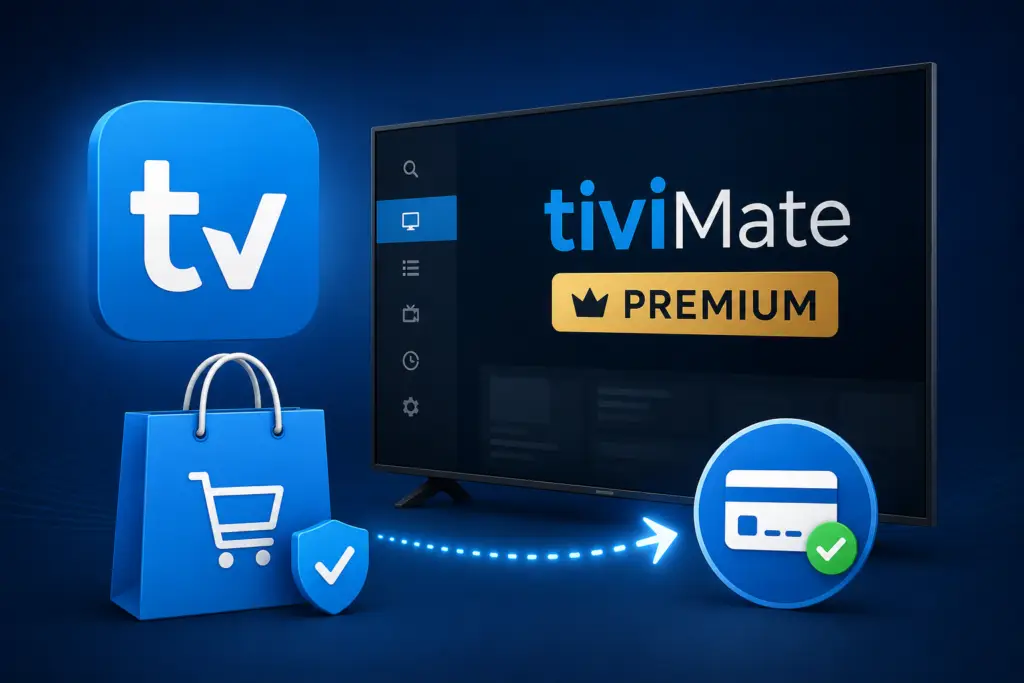
TiviMate Premium purchase plans and pricing

FAQ About Buying TiviMate Premium

How much does TiviMate Premium cost?

TiviMate Premium costs $29.99 per year for 1 device or $39.99 per year for 5 devices.

Can I buy TiviMate Premium with PayPal?

No, TiviMate does not currently accept PayPal. You can pay with Google Pay or a credit/debit card.

Is there a lifetime plan?

No, TiviMate Premium is only available as an annual subscription. There is no lifetime purchase option.

How do I activate TiviMate Premium after buying?

Use the TiviMate Companion app to scan the QR code shown in TiviMate Settings > About > Companion App.

Can I transfer TiviMate Premium to another device?

Yes. From the Companion app, you can remove a linked device and add a new one, as long as you have available slots in your plan.

Does TiviMate Premium auto-renew?

Yes, subscriptions renew automatically each year. You can cancel auto-renewal from the Companion app settings at any time.


What happens if I cancel?

You keep premium access until the end of your current billing period. After that, the app reverts to the free version with limited features.

Can I use TiviMate Premium on both Firestick and Android TV?

Yes, TiviMate Premium works on both Firestick and Android TV devices. The license is not platform-specific, so you can mix and match device types.

Do I need to create a TiviMate account?

Yes, you need a TiviMate account to purchase and activate Premium. Your email address and password are all you need to create one through the Companion app.

Is there a free trial of TiviMate Premium?

TiviMate does not offer a free trial of Premium features. However, the free version lets you test the app with one playlist before deciding to upgrade.

Can I get a refund if I am not satisfied?

TiviMate does not offer refunds for Premium subscriptions. Since the purchase is processed through Google Play, you may request a refund through Google Play within the standard refund window (typically 48 hours). After that period, all sales are final. For this reason, it is recommended to test the free version thoroughly before upgrading to Premium.

How do I renew my TiviMate Premium subscription?

Your TiviMate Premium subscription renews automatically each year. To manually renew, open the Companion app, go to your account settings, and select Renew Subscription. If your payment method on file fails, you will receive an email notification to update your payment details.

About the Author

Written by

TiviMate Team

Experienced IPTV enthusiast and tech writer covering Android TV, Firestick, and streaming technology. Helping viewers cut the cord since 2020.

Ready to Download TiviMate?

Get TiviMate free and start streaming in minutes. Used by 500K+ streamers worldwide.

Download TiviMate Free →

Free download | No credit card required | Android TV & Firestick