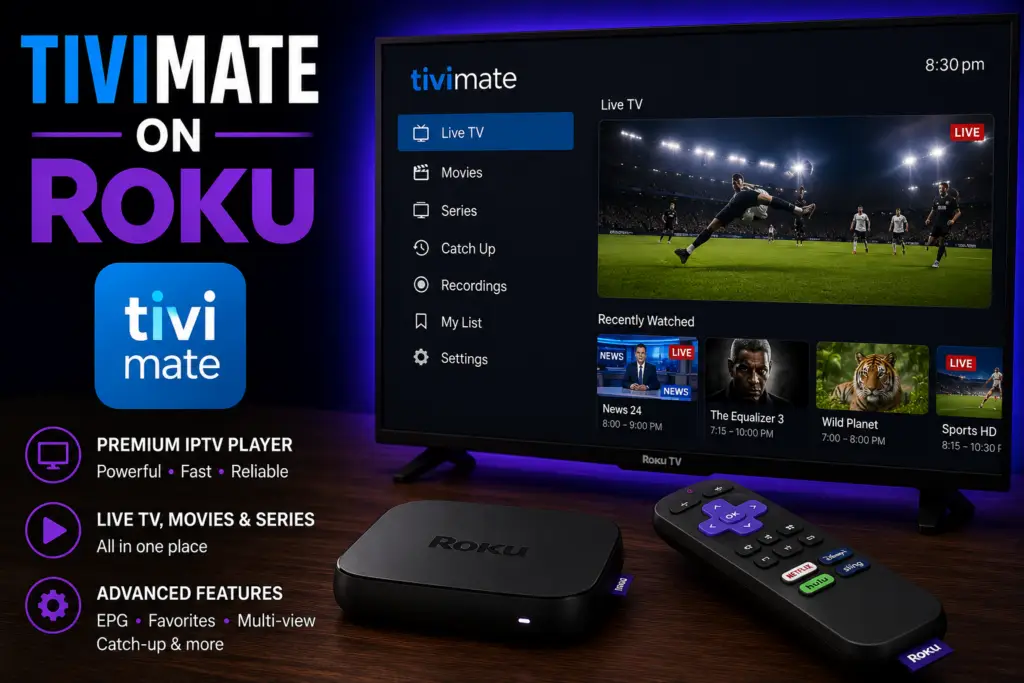
Quick Answer: TiviMate does not work on Roku. Roku uses a proprietary operating system that does not support APK installation or IPTV apps. The best alternatives are to use a Firestick ($29.99) or Android TV box with TiviMate connected to your TV’s HDMI port, or switch to IPTV Smarters Pro which has a limited Roku channel available in some regions.
TiviMate Roku compatibility is a common point of confusion. TiviMate is the best IPTV player for Android devices, but it does not work on any Roku device — not the Roku Express, Streaming Stick, Roku Ultra, or any Roku TV from TCL, Hisense, or Sharp. This guide explains exactly why, which apps do work on Roku, and the one practical solution for running TiviMate on your television.
Why TiviMate Roku Compatibility Does Not Exist
Roku runs a proprietary operating system called Roku OS. Unlike Fire OS (Firestick) or Android TV — both built on the Android Open Source Project — Roku OS is a closed platform built entirely by Roku. The company does not allow sideloading, APK installations, or any app that has not been approved for the official Roku Channel Store.
TiviMate is built exclusively for Android. It requires the Android runtime, and Roku OS cannot run Android code. The developers at ArmoSoft have never released a version for Roku, and no announcement suggests one is coming. This is not a temporary gap — the architectural differences between the two platforms make a direct port impossible without Roku fundamentally changing its operating system.
Can You Sideload TiviMate on Roku?
No. Roku does not support sideloading in any form. Unlike Firestick, which has a Developer Options menu that lets you enable “Apps from Unknown Sources,” Roku has no such feature. There is no file manager that can install APK files. There is no Downloader-style app in the Roku Channel Store. If an app is not listed in the Channel Store, it cannot run on Roku — period.
Some users ask about Roku’s private channel feature, which allows unlisted channels via a code. However, private channels are still Roku OS apps written in BrightScript. They cannot run Android APK files. Roku has also been phasing out private channel support, making even this limited option less reliable.
Is Screen Mirroring TiviMate to Roku a Workaround?
Roku supports screen mirroring from Android phones via Miracast and from Apple devices via AirPlay. In theory, you could run TiviMate on your phone and mirror it to your Roku. In practice, this is not a realistic solution for daily IPTV use.
Screen mirroring introduces noticeable input lag, caps video at lower resolutions, drains your phone battery quickly, and locks up your phone while you watch. Channel switching is sluggish, the EPG is hard to read at mirrored resolutions, and the experience does not compare to running TiviMate natively on supported hardware. Use screen mirroring for occasional presentations, not for daily IPTV viewing.
Every Roku Model Affected by This Limitation
Every Roku device and Roku-powered television is affected. No Roku model supports TiviMate. This includes:
- Roku Express and Roku Express 4K+ — Budget HDMI streaming sticks
- Roku Streaming Stick and Roku Streaming Stick 4K — Portable streaming dongles
- Roku Ultra and Roku Ultra LT — Premium set-top boxes with Ethernet
- Roku Streambar and Roku Audio — Soundbar-streamer hybrids
- Roku TV — Built into TCL, Hisense, Sharp, Philips, RCA, and Hitachi televisions
All of these run the same Roku OS with the same closed ecosystem. A TiviMate Roku solution does not exist for any of them.
Best IPTV Apps That Work on Roku
While you cannot get TiviMate on Roku, several IPTV apps are available through the Roku Channel Store. These support live TV streaming with EPG and playlist management — though none match TiviMate’s polish or feature depth.
IPTV Smarters Pro — Best Free TiviMate Alternative for Roku
IPTV Smarters Pro is the closest you can get to the TiviMate experience on Roku. It supports M3U URLs and Xtream Codes API, includes an integrated EPG, and lets you organize channels into favorites and custom categories. The interface is clean but lacks TiviMate’s customization — you cannot adjust the EPG appearance, change channel logos, or set custom recording schedules. It also does not support multi-screen or built-in recording. But for basic live TV streaming with an EPG, it is a solid free choice — and the best stand-in if you need a TiviMate Roku alternative today.
Channels DVR — Best for Recording Live TV
Channels DVR requires a server running on a PC, Mac, or NAS, but the Roku front-end delivers a polished experience. It supports M3U playlists, a grid-style EPG with search, and reliable DVR with scheduled recording. The downsides are setup complexity (you need to host the server 24/7) and the $8/month subscription. For users who prioritize recording live TV, this is the best option on Roku.
Plex with Plex Pass — Best for Media Library Integration
If you already use Plex for your media library, adding IPTV through Plex is a natural step. Using xTeVe as a middle layer, you can feed M3U playlists into Plex and watch live TV through the Plex Roku app. Plex Pass ($4.99/month or $119 lifetime) is required for live TV and DVR. Setup is more involved than IPTV Smarters Pro, but the integration with your existing library makes it attractive for Plex users.
The Practical Solution: Add a Firestick for TiviMate
The simplest way to use TiviMate if you own a Roku TV is to add a Firestick. An Amazon Fire TV Stick plugs into an available HDMI port and runs Fire OS — a modified version of Android that fully supports TiviMate, including all Premium features like recording, multi-screen, and catch-up TV.
This costs as little as $30 for the Fire TV Stick Lite. Both devices coexist on the same TV: use Roku for Netflix, Hulu, and Disney+, and use the Firestick for TiviMate IPTV.
How to Set Up TiviMate on a Firestick Alongside Your Roku
- Purchase a Firestick — the Fire TV Stick 4K Max ($55) or Fire TV Stick Lite ($30) both work.
- Plug the Firestick into an available HDMI port on your TV. Use an HDMI switcher if all ports are in use.
- Switch your TV input to the Firestick’s HDMI port using your TV remote’s Input or Source button.
- Connect to Wi-Fi and sign in with your Amazon account.
- Go to Settings > My Fire TV > Developer Options and enable Apps from Unknown Sources.
- Install the Downloader app from the Amazon Appstore.
- Open Downloader and enter code 272483 to download the latest TiviMate APK.
- Install TiviMate, launch the app, and enter your IPTV subscription credentials.
See our full walkthrough: how to install TiviMate on Firestick.
Android TV Boxes Also Work
Any Android TV or Google TV device supports TiviMate. The Walmart Onn 4K Streaming Box ($20) is a great budget option with a USB port for recording. The Nvidia Shield TV Pro ($199) is the best-performing option. See our TiviMate on Onn 4K guide for more.
Roku vs Firestick for IPTV: Which Should You Choose?
If you are deciding between Roku and Firestick for IPTV, here is a direct comparison of the key differences.
Frequently Asked Questions About TiviMate and Roku
No. Roku OS does not support Android applications, and TiviMate has no version for Roku. There is no workaround to install TiviMate on any Roku device or Roku TV.
IPTV Smarters Pro is the best free option. It supports M3U and Xtream Codes with EPG. For recording, Channels DVR is the most capable choice but requires an $8/month subscription and a dedicated server.
Unlikely. TiviMate is built in Android Java/Kotlin. Roku apps must be written in BrightScript, a completely different language. A Roku version would require a full rewrite from scratch, and the developers have made no announcements about it.
Only by adding an external device like a Firestick or Android TV box. Roku TVs run the same closed Roku OS as standalone players, so the built-in system cannot run TiviMate.
Technically yes, but it is not recommended. Mirroring introduces lag, lowers resolution, drains your phone battery, and makes channel switching frustrating. It works in a pinch but is not a realistic long-term TiviMate Roku solution.
Final Verdict: TiviMate and Roku Do Not Mix
TiviMate Roku compatibility is zero, and that will not change anytime soon. Roku’s closed operating system simply cannot run Android applications. Apps like IPTV Smarters Pro and Channels DVR provide functional alternatives on Roku itself, but they cannot match TiviMate’s features, interface, or recording capabilities.
If TiviMate is essential for your IPTV setup, the most practical solution is adding a $30 Firestick to your TV. It gives you the best IPTV experience available while keeping your Roku for everything else. For more details, see our guides on TiviMate for Firestick and what TiviMate is and how it works.
Roku on Wikipedia. Roku Channel Store.
Sources & References
- TiviMate on Google Play — Official Android TV app listing
- tvimate.co Setup Guides — Comprehensive installation and troubleshooting guides
- Best IPTV for TiviMate — Top-rated IPTV providers reviewed for TiviMate users
- TiviMate Not Working? Fixes — 10 proven fixes for channels, audio, and crashing
- Fix TiviMate Error 458 — Too many connections fix and step-by-step troubleshooting
- TiviMate User Agent Guide — Best user agent settings to stop buffering
- TiviMate Xtream Codes Setup — How to add IPTV via Xtream API (faster than M3U)
- TiviMate Keeps Crashing? — Fix app freezes and crashes on Firestick and Android TV
- TiviMate No Sound? — Fix audio not working on Firestick and Android TV
- TiviMate Channels Not Loading — Fix channels that won't play or show black screen
- TiviMate Parental Controls — Lock channels and restrict content with PIN
- TiviMate Backup and Restore — Save settings and playlists
- TiviMate Recording Not Working — Fix recording errors