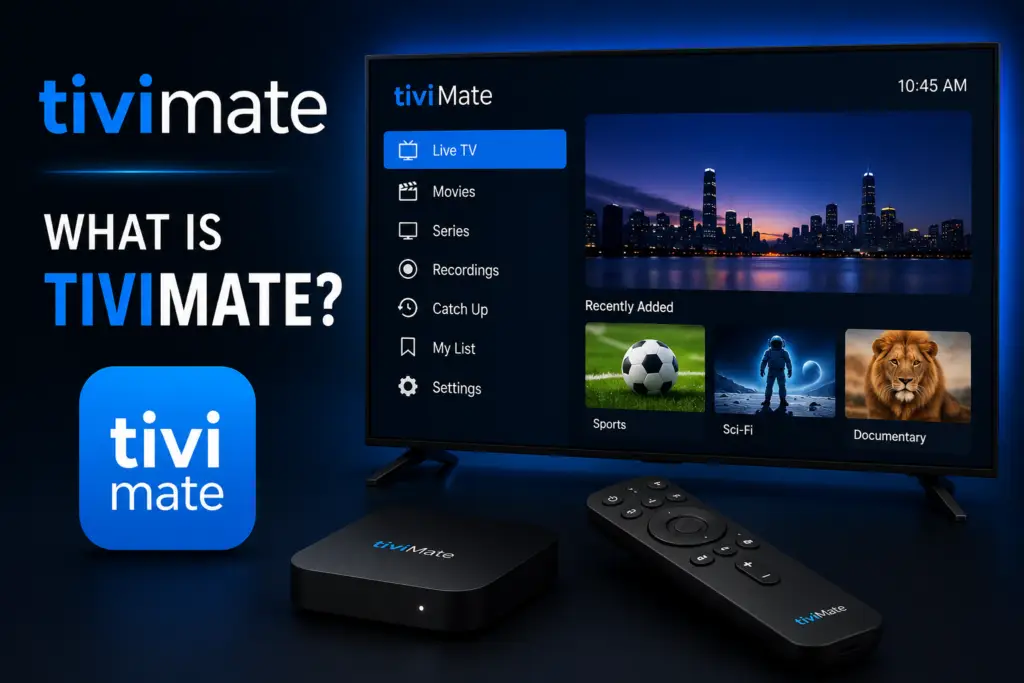
Quick Answer: TiviMate is an IPTV player for Android TV, Firestick, and Android devices that organizes live TV channels into an electronic program guide (EPG). Think of it as a smart TV guide for IPTV subscriptions. It supports M3U playlists and Xtream Codes API, offers DVR recording, multi-screen viewing, and a polished TV-optimized interface.
What is TiviMate? TiviMate is widely recognized as the best IPTV player for Android TV, Firestick, and Android-based streaming devices. This guide answers what is TiviMate and everything you need to know to get started. Whether you are completely new to IPTV or switching from another player like IPTV Smarters Pro or Perfect Player, this guide explains everything TiviMate does, how it works, what devices support it, and whether it is the right choice for your live TV streaming setup.
What Is TiviMate?
TiviMate is an IPTV player application for Android-based devices. It does not provide channels or content itself — instead, it acts as a media player that connects to your IPTV subscription service, retrieves channel lists and EPG data, and presents everything in a polished, cable-TV-like interface. Think of it like VLC Media Player or Kodi, but purpose-built for IPTV with a modern touch-optimized interface designed specifically for TV screens and remote controls.
The app is developed by ArmoSoft and is available on the Google Play Store as well as through direct APK download for sideloading on devices like Firestick. It has been downloaded millions of times and consistently receives high ratings (4.4+ stars) for its clean design, stability, feature depth, and regular update schedule — often receiving new features and bug fixes every few months.
What Does TiviMate Do?
TiviMate transforms a raw IPTV subscription into a polished television viewing experience comparable to — and in many ways better than — traditional cable or satellite TV. Here are its core capabilities in detail:
- Live TV Streaming — Watch thousands of live television channels from your IPTV provider with smooth playback, rapid channel switching (typically under 2 seconds), and support for SD, HD, Full HD, and 4K streams.
- Electronic Program Guide (EPG) — A grid-style program guide that shows what is currently airing and what is scheduled for the next several hours or days. You can browse by channel, by time, search for specific programs, and set reminders. TiviMate supports multiple EPG sources simultaneously.
- Channel Groups and Favorites — Organize your channels into custom groups. Create separate lists for sports, news, movies, kids’ content, or any category you prefer. Mark frequently watched channels as favorites for one-click access.
- Recording (DVR) — Record live television to internal storage or external USB drives. Schedule single recordings, recurring series recordings, or recording entire time slots. Play back recordings directly within the app with full seek and pause controls.
- Multi-Screen Viewing — Watch up to four channels simultaneously on a single screen. Available in split-screen layouts (2 – 2, 1+3) and picture-in-picture mode. Ideal for monitoring multiple sports games or news channels at once.
- Catch-Up TV — If your IPTV provider supports catch-up functionality, you can watch programs that aired in the past 24 to 72 hours. Simply scroll back in the EPG and select the program to play it from the beginning.
- TiviMate Companion App — Use your Android or iOS phone as a remote control. Browse the EPG on your phone, select channels, and control playback without needing the physical remote. The Companion app syncs with your TiviMate Premium account.
How Does TiviMate Work?
TiviMate operates by communicating with your IPTV provider’s server using standard streaming protocols. Here is the complete workflow from start to finish:
- Subscribe to an IPTV service — Choose a provider that offers either an M3U URL or Xtream Codes API login credentials. These are the two standard connection methods that TiviMate supports.
- Subscribe to an IPTV service → Choose a provider like Fav IPTV that offers either an M3U URL or Xtream Codes API login credentials. Our top pick is Fav IPTV for its reliable servers, 22,000+ channels, and 95% EPG accuracy at $12/month. These are the two standard connection methods that TiviMate supports.
- Install TiviMate — On Android TV and Google TV devices, download TiviMate directly from the Google Play Store. On Firestick, use the Downloader app to sideload the APK. Onn 4K boxes and Chromecast with Google TV use the Play Store method.
- Enter your credentials — When you first launch TiviMate, you will be prompted to add a playlist. Select M3U URL or Xtream Codes and paste in the details your provider gave you. TiviMate will fetch your complete channel list and EPG data automatically.
- Customize your experience — Create channel groups, mark favorites, adjust the EPG appearance, set buffer sizes, and configure recording preferences. TiviMate stores all settings locally on your device.
- Start watching — Browse the EPG, select any channel, and enjoy live TV with all the convenience of a modern cable box interface.
For a step-by-step setup guide, see how to install and set up TiviMate.
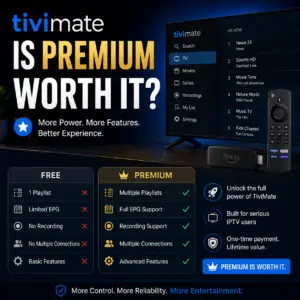
TiviMate Free vs Premium: Complete Feature Comparison
TiviMate offers a free version that lets you test the app with limited features, and a Premium subscription that unlocks the full experience. Here is exactly what each tier includes.
Supported Devices: Complete Compatibility List
TiviMate runs on any device powered by Android TV, Google TV, or Fire OS. It does not work on Roku, Apple TV, iOS, or web browsers. Here is a detailed breakdown of compatible devices and their installation methods.
For device-specific installation instructions, see our guides on TiviMate for Onn 4K and TiviMate and Roku compatibility.
Is TiviMate Legal?
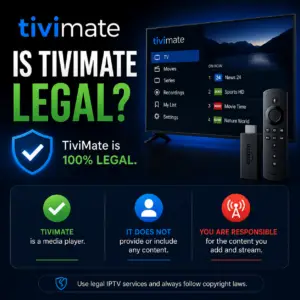
Yes, TiviMate is completely legal. It is a media player application — functionally equivalent to VLC Media Player, MPC-HC, or Kodi. The application is available on the official Google Play Store, is developed by a registered company named ArmoSoft, and has been downloaded millions of times without any legal action against the developers.
The legality of your IPTV setup depends entirely on your content provider. Using TiviMate with a licensed service like Sling TV, Hulu + Live TV, or YouTube TV is fully legal. Using it with an unlicensed provider that streams copyrighted content without permission may not be. For a detailed breakdown of the legal landscape, see our dedicated guide: is TiviMate legal?
How TiviMate Compares to Other IPTV Players
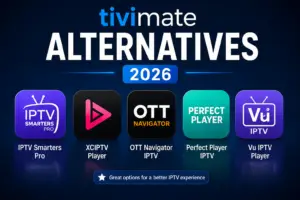
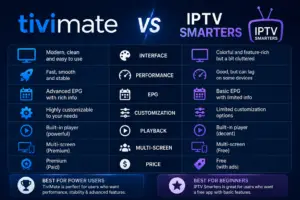
TiviMate is frequently compared to IPTV Smarters Pro, Perfect Player, OTT Navigator, and Kodi. Here is an honest assessment of how it stacks up against the competition.
Verdict: TiviMate stands out for its polished interface design optimized for TV remotes, excellent EPG integration with multiple sources, and unique features like multi-screen viewing, catch-up support, and the Companion app. IPTV Smarters Pro is a solid free alternative, while Perfect Player and OTT Navigator appeal to users who prefer a more technical, configurable interface. Kodi remains the most versatile media center but is overkill if you only need IPTV.
How to Get Started with TiviMate
Here is a quick-start guide covering the first five things you should do after installing TiviMate:
- Install TiviMate — On Android TV / Google TV devices, open the Google Play Store and search for “TiviMate.” On Firestick, use Downloader with code 272483. See our Onn 4K installation guide for device-specific steps.
- Add your playlist — Launch TiviMate and select “Add Playlist.” Choose the appropriate connection type (M3U URL or Xtream Codes) and enter the credentials from your IPTV provider. If you have multiple providers, you can add unlimited playlists with Premium.
- Set up your EPG — TiviMate will attempt to load EPG data automatically from your provider. You can also add additional EPG sources in Settings > EPG > Add EPG Source. Multiple EPG sources can be merged for comprehensive coverage.
- Adjust buffer and user agent — Go to Settings > Playlist > tap your playlist > User Agent and Buffer Size. Setting the buffer to 30“60 seconds helps prevent buffering. Changing the user agent can bypass ISP throttling — see our user agent optimization guide for recommended strings.
- Customize your channel layout — Create channel groups by going to Settings > Channel Groups. Mark channels as favorites by long-pressing the OK button while on a channel. Hide channels you never watch for a cleaner, more focused experience.
Frequently Asked Questions
Is TiviMate free?
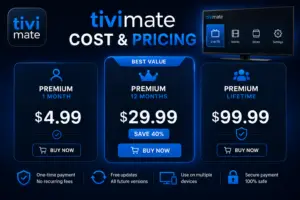
Yes, TiviMate has a free version with basic features including live TV streaming, EPG support, and one playlist. The Premium subscription ($2.99/month or $14.99/year) unlocks recording, multi-screen, catch-up, unlimited playlists, the Companion app, and up to 5 device support.
Does TiviMate include channels or content?
No. TiviMate is a player only — it does not provide any channels, movies, or television shows. You must have a separate IPTV subscription with valid credentials (M3U URL or Xtream Codes) to use the app.
Is TiviMate safe and secure?
Yes. TiviMate is available on the official Google Play Store, is developed by a registered company, does not contain malware, and is regularly updated. Always download from official sources to avoid compromised APK files.
Can I use TiviMate on multiple devices at the same time?
Yes. A single Premium subscription supports up to 5 devices. All devices must use the same Google account if purchased through the Play Store, or the same Premium activation code.
Does TiviMate work on iOS, Apple TV, or Roku?
No. TiviMate is Android-only. It does not work on iPhone, iPad, Apple TV, or any Roku device. There is no iOS or Roku version available. For Roku alternatives, see our TiviMate and Roku guide.
What is the best device for TiviMate?
The Nvidia Shield TV Pro offers the best overall performance with full feature support. For budget-conscious users, the Firestick 4K Max ($55) and Walmart Onn 4K Box ($20) are both excellent choices. The Onn box has the advantage of a built-in USB port for recording.
Does TiviMate support 4K and HDR streaming?
Yes, TiviMate supports 4K resolution and HDR10/HDR10+ streams, provided that your streaming device and IPTV provider both support these formats. The app passes through the video signal without downscaling.
Final Thoughts
TiviMate is the gold standard for IPTV playback on Android TV and Firestick. Its combination of a modern, remote-friendly interface, powerful multi-source EPG, reliable DVR capabilities, and unique multi-screen viewing make it the go-to choice for IPTV enthusiasts worldwide. While it requires a separate IPTV subscription and a compatible Android-based device, the viewing experience it delivers rivals — and in many ways surpasses — traditional cable and satellite television. For more practical advice on getting the most out of TiviMate, read our guides on optimizing user agent settings for buffering and understanding the legal aspects of IPTV.
IPTV on Wikipedia. TiviMate on Google Play.
What is TiviMate? This complete guide explains what TiviMate is and how it works.
Sources & References
- TiviMate on Google Play — Official Android TV app listing
- tvimate.co Setup Guides — Comprehensive installation and troubleshooting guides
- Best IPTV for TiviMate — Top-rated IPTV providers reviewed for TiviMate users
- TiviMate Not Working? Fixes — 10 proven fixes for channels, audio, and crashing
- Fix TiviMate Error 458 — Too many connections fix and step-by-step troubleshooting
- TiviMate User Agent Guide — Best user agent settings to stop buffering
- TiviMate Xtream Codes Setup — How to add IPTV via Xtream API (faster than M3U)
- TiviMate Keeps Crashing? — Fix app freezes and crashes on Firestick and Android TV
- TiviMate No Sound? — Fix audio not working on Firestick and Android TV
- TiviMate Channels Not Loading — Fix channels that won't play or show black screen
- TiviMate Parental Controls — Lock channels and restrict content with PIN
- TiviMate Backup and Restore — Save settings and playlists
- TiviMate Recording Not Working — Fix recording errors