Quick Answer: TiviMate Premium is worth it for most users at $9.99/year or $33.99 lifetime. You get unlimited playlists, 7-day EPG, DVR recording, multi-screen viewing up to 4 channels, and catch-up TV. The free version is limited to 1 playlist and 2-day EPG. If you use TiviMate daily, Premium pays for itself in convenience alone.
Overview
Looking for Tivimate Premium Worth It? TiviMate has quickly become the gold standard for IPTV players on Android TV, Firestick, and Google TV. But the question every new user asks is the same: Is TiviMate Premium worth the upgrade?
At just $9.99 per year — roughly 83 cents per month — TiviMate Premium ranks as one of the cheapest IPTV subscription upgrades available. But price alone does not tell the full story. This guide breaks down every Premium feature, compares the free vs paid tiers, evaluates the value against competitors, and helps you decide whether the upgrade makes sense for your specific setup.
TiviMate Free vs Premium: Feature Comparison
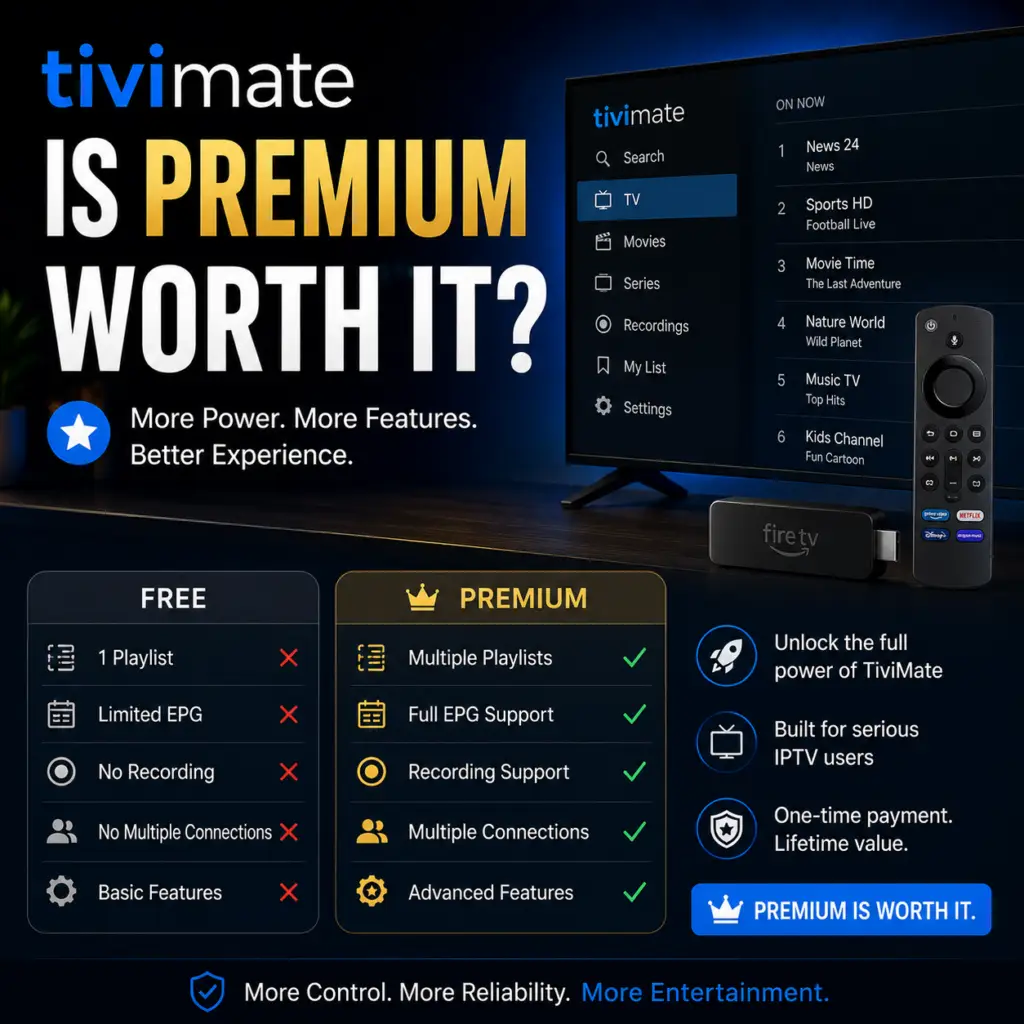
Before deciding, you need to understand exactly what you gain by upgrading. The free version of TiviMate is surprisingly capable, but Premium removes nearly every meaningful restriction.
The table above makes one thing clear: TiviMate Premium transforms the app from a capable player into a full-featured IPTV management system. The free version works well for casual viewing, but every advanced feature — recording, multi-screen, catch-up, parental controls — requires the paid tier.
Is TiviMate Premium Worth It for You?
Users with Multiple IPTV Providers
If you subscribe to more than one IPTV service — perhaps a primary provider for live sports and a backup for VOD content — the free version\\\\\\\\\\\\\\\’s single-playlist limit forces you to choose. With Premium, you can load unlimited playlists, merge them into a unified channel list, and assign EPG data to each source independently. This alone is worth the upgrade for power users who juggle multiple providers.
Sports Fans Who Watch Multiple Games
The multi-view feature lets you watch up to four channels simultaneously on a single screen. During NFL Sundays, Champions League matchdays, or March Madness, this capability is transformative. You can monitor four games at once without switching tabs or juggling multiple devices.
Users Who Want to Record Live TV
TiviMate\\\\\\\\\\\\\\\’s built-in DVR is one of the most compelling Premium features. You can schedule recordings from the EPG, record the current program, or set custom start and end times. Recordings save in standard.ts format for playback on any device. For a detailed walkthrough, see our complete guide to TiviMate recording.
Households with Multiple TVs
Premium covers up to 5 devices on a single account. Install TiviMate on every Firestick, Android TV, and Google TV in your home without paying per device. Each device can maintain its own settings, favorites, and viewing history.
Users Who Need Parental Controls
If children use the TV, Premium\\\\\\\\\\\\\\\’s parental controls let you lock specific channels behind a PIN. You can restrict entire groups (e.g., adult content) without affecting the rest of the channel list.
Who Can Skip the Premium Upgrade?
Not every user needs Premium. You can comfortably stay on the free version if:
- You use a single IPTV provider with one playlist
- Your provider offers fewer than 64 channels (rare, but possible with niche services)
- You never record live TV and have no interest in DVR functionality
- You watch one channel at a time and do not need multi-screen viewing
- You do not use catch-up or time-shift features
- You watch on a single device and do not mind occasional banner ads
The free version still delivers excellent playback quality, EPG support, and a clean interface. If the restrictions above do not bother you, saving the $9.99 is perfectly reasonable.
TiviMate Premium vs Competitors: Is TiviMate Premium Worth It?
How does TiviMate Premium stack up against other IPTV players in terms of pricing and features?
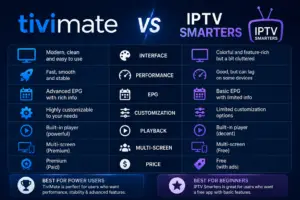
TiviMate Premium occupies a unique position. It is cheaper annually than nearly every paid competitor, yet it offers the most complete feature set — particularly the combination of DVR and multi-view that no other player at this price point matches. IPTV Smarters is free but lacks recording entirely. Channels DVR offers excellent DVR capabilities but costs 19 times more per year and lacks multi-screen viewing.
How to Buy TiviMate Premium
- Install TiviMate from the Google Play Store on your Android TV or Firestick device (sideload on Firestick if needed).
- Open the app and navigate to Settings > Account.
- Create an account at using your email address.
- Choose a plan — the $9.99/year annual plan or $33.99 lifetime and covers 5 devices.
- Complete payment through the secure payment gateway.
- Log in on each device where you want Premium activated.
The license activates immediately. You can install TiviMate on up to 5 devices under the same account.
What Happens When TiviMate Premium Expires?
If you choose not to renew, TiviMate Premium reverts to the free version at the end of the billing period. All your playlists, settings, favorites, and EPG configurations remain intact — nothing is deleted. You simply lose access to Premium-only features (DVR, multi-view, catch-up, multiple playlists, parental controls, and ad-free viewing).
Reactivating Premium at any point restores full access to your previous configuration with no data loss.
Frequently Asked Questions
Yes. At $9.99 per year (or $33.99 lifetime), Premium is the most cost-effective IPTV upgrade available. The combination of DVR, multi-view, unlimited playlists, and ad-free viewing on 5 devices offers excellent value for anyone who watches IPTV regularly.
TiviMate costs $9.99 per year, which breaks down to approximately $0.83 per month. There is no monthly subscription option — only the annual plan.
TiviMate offers a 7-day trial period for new Premium users. You can activate the trial within the app under Settings > Account and experience all Premium features before committing to payment.
One Premium subscription covers up to 5 devices. You can install TiviMate on multiple Firesticks, Android TV boxes, and Google TV devices under the same account.
Yes. Full DVR functionality is included with Premium. You can schedule recordings from the EPG, record the current program, and manage recorded content — all from within the app. See our TiviMate recording guide for details.
TiviMate is an Android TV app and does not run on Samsung Tizen TVs or Apple tvOS. However, you can use a Firestick with a Samsung TV or an HDMI stick with Apple TV to access TiviMate on those displays.
Yes. TiviMate Premium offers a lifetime license for $33.99 — a one-time payment with no recurring charges. The annual subscription is available at $9.99 per year.
Yes. Premium removes all banner and interstitial advertisements from the app, providing a completely clean and uninterrupted viewing experience.
TiviMate on Google Play. TiviMate subreddit community.
Is TiviMate Premium worth it? This honest review helps you decide if TiviMate Premium is worth it.
Sources & References
- TiviMate on Google Play — Official Android TV app listing
- tvimate.co Setup Guides — Comprehensive installation and troubleshooting guides
- Best IPTV for TiviMate — Top-rated IPTV providers reviewed for TiviMate users
- TiviMate Not Working? Fixes — 10 proven fixes for channels, audio, and crashing
- Fix TiviMate Error 458 — Too many connections fix and step-by-step troubleshooting
- TiviMate User Agent Guide — Best user agent settings to stop buffering
- TiviMate Xtream Codes Setup — How to add IPTV via Xtream API (faster than M3U)
- TiviMate Keeps Crashing? — Fix app freezes and crashes on Firestick and Android TV
- TiviMate No Sound? — Fix audio not working on Firestick and Android TV
- TiviMate Channels Not Loading — Fix channels that won't play or show black screen
- TiviMate Parental Controls — Lock channels and restrict content with PIN
- TiviMate Backup and Restore — Save settings and playlists
- TiviMate Recording Not Working — Fix recording errors